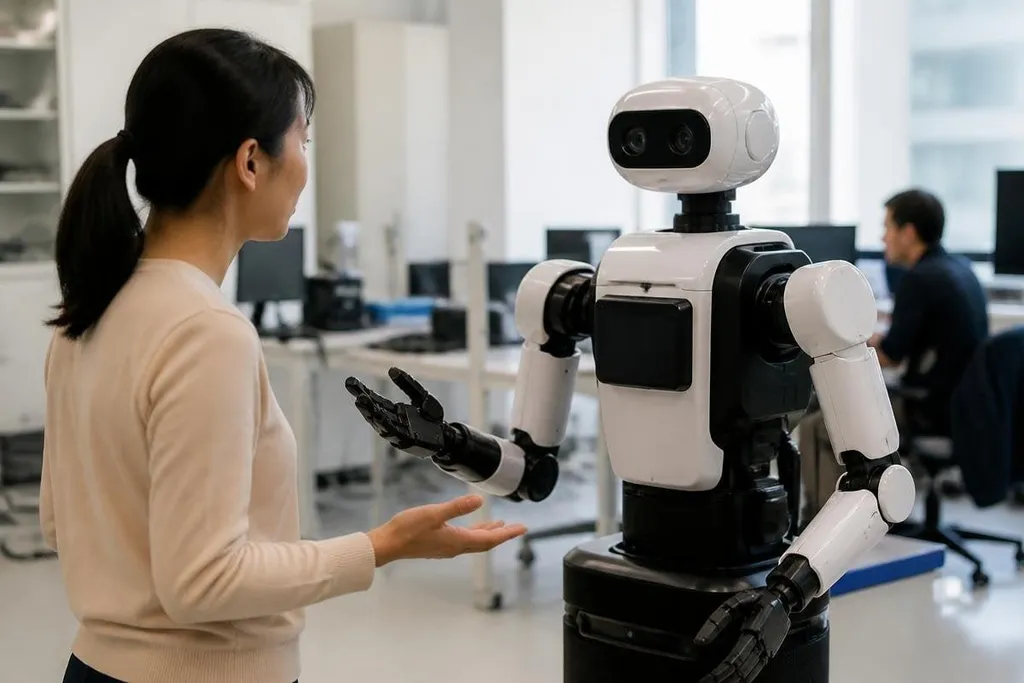
A robot’s face changes how people read its actions. A human-shaped head can make a machine easier to approach, but it can also make a limited system look more capable than it is. For most tasks, the design should start with the job, not the face.
- Human features can help with social tasks
- A familiar shape can create false trust
- Clear signals matter more than lifelike skin
What a human look can add
People understand faces, eyes, hands, and body direction without needing a manual. A robot that guides visitors, teaches a lesson, or supports a care worker may use those signals to show where it is looking and what it plans to do.
That does not mean the robot needs realistic skin or a full human body. A moving head, two clear cameras, and a screen showing simple expressions may give people enough information. The design can stay readable without pretending to be a person.
Body shape matters in the same way. A robot with arms can reach shelves, press buttons, or pass objects through spaces built for human workers. A robot with legs may cross steps and uneven floors that stop a wheeled platform. Those are physical reasons for a human-like form.
The same shape can also create confusion. People may expect a robot with a face to understand speech, notice emotions, or act without help. A machine that only follows remote commands cannot meet those expectations, even if its eyes move at the right time.
The trust problem
A human appearance can make mistakes harder to spot. If a robot speaks in a calm voice and turns its head during a conversation, someone may assume it understands more than it does. The result can be poor decisions around safety, privacy, or care.
The answer is not to remove every human cue. It is to show the machine’s limits beside those cues. A robot can display when it is being teleoperated, when its sensors are blocked, or when a person must approve its next action.
Those signals should be visible during normal use. A small status light hidden behind a panel will not help a worker who needs to know if the robot has control of its arm. Clear labels and direct feedback do more than a realistic face.
Design for the task
A useful design process starts with the environment. The team should ask what the robot must lift, reach, see, hear, and avoid. It should then decide which human features help with those actions and which add cost without adding value.
For a warehouse, a human face may contribute little. A wide view from cameras, a bright warning light, and a body that fits the aisle are likely to matter more. For a museum guide, the balance changes because visitors need signs that show attention, direction, and turn-taking.
The useful test is whether a human-looking face changes what people do around the robot. A dated report from Robot24.com can place the robot’s task, maker, and test setting beside its appearance claims. That keeps the discussion tied to behavior: does the face help people read the robot, or only make the video easier to watch?
I’d design robots to look human only when a human cue helps someone complete the task or stay safe. A face should explain the machine, not hide its limits.
What designers should check
Before adding a human feature, use this short decision guide:
- Define the task: name the action the feature will support.
- Check the setting: test sight lines, noise, lighting, clothing, and space.
- Show control: make remote operation and automatic actions easy to tell apart.
- Mark limits: tell people what the robot cannot sense, decide, or do.
- Price the trade-off: compare the added parts with the value they give.
The final test is plain. If removing the face makes the robot harder to use or less safe, keep the cue. If the face only makes a demo more appealing, spend the money on better sensors, brakes, or software instead.